
At Square Moon, we continuously benchmark and test every core evolution of the Claris platform to deliver enterprise-grade digital transformations. Following the significant low-level enhancements in FileMaker Pro 2026, Claris FileMaker Server 2026 introduces a foundational leap forward. Moving away from traditional versioning numbers, this release establishes a predictable, IT-aligned annual cadence under the official versioning track of 26.0.1.
For advanced developers and system administrators, FileMaker Server 2026 shifts the conversation from simple uptime management to complete operational resilience, high availability, and native, self-hosted Artificial Intelligence.
Below is our complete architectural walkthrough of FileMaker Server 2026 based on extensive development lab testing.
What you will find
- High Availability via Built-In Standby Server
- Self-Hosted, AI-Ready Infrastructure and RAG
- Automated Failover and Enterprise Performance Tuning
- Developer Quality-of-Life and WebDirect Enhancements
- Complete OData Schema Reflection
High Availability via Built-In Standby Server
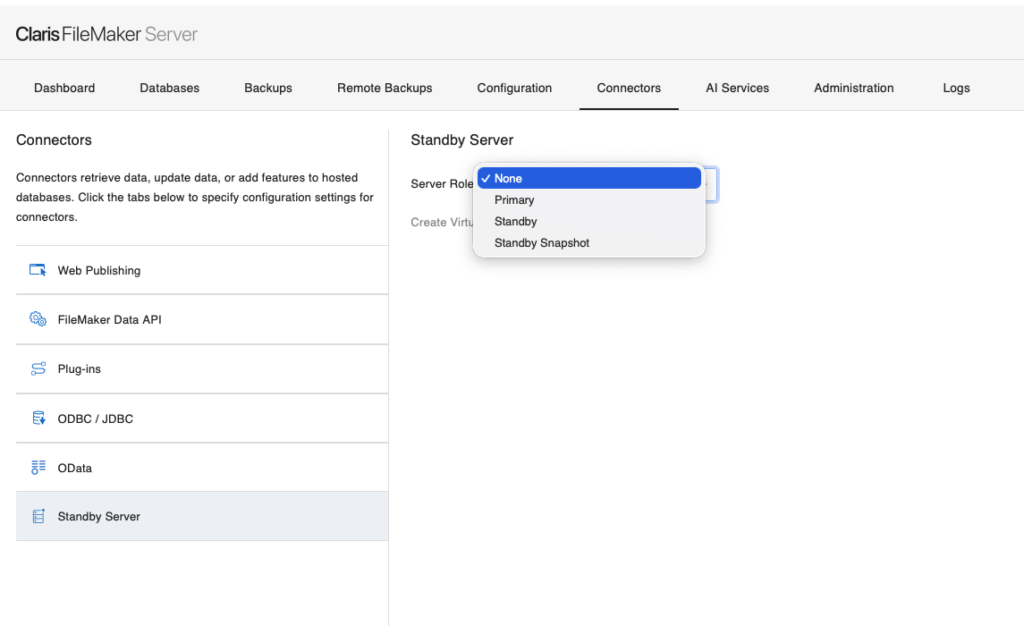
One of the most significant enterprise features in this release is the native introduction of a Warm Standby Server. Historically, achieving high availability required complex hypervisor replication or expensive third-party infrastructure. FileMaker Server 2026 introduces a structured, one-to-one server pairing model engineered directly into the core engine.
Architectural Log Shipping and Synchronization
The Warm Standby Server operates through log shipping and incremental restoration. After an initial full backup synchronization between the machines, the Primary machine continuously ships binary redo logs to the Standby machine at a default interval of 5 minutes.
The Standby server remains in a background state, continuously applying these incoming logs to maintain a near-current copy of the entire system.
Instant, Zero-Restart Switchover
If the primary environment experiences a hardware failure, power outage, or ransomware event, administrators can manually trigger a promotion on the Standby machine.
- No Server Restart Required: In earlier preview builds, a service restart was mandatory. In the final release, the switchover automatically opens the files on the new Primary machine and gracefully closes them on the old Primary (if it is still alive) without dropping the underlying engine.
- Config Mirroring: The switchover copies server configurations seamlessly—including server-side schedules, plugins, session timeout values, and external authentication settings.
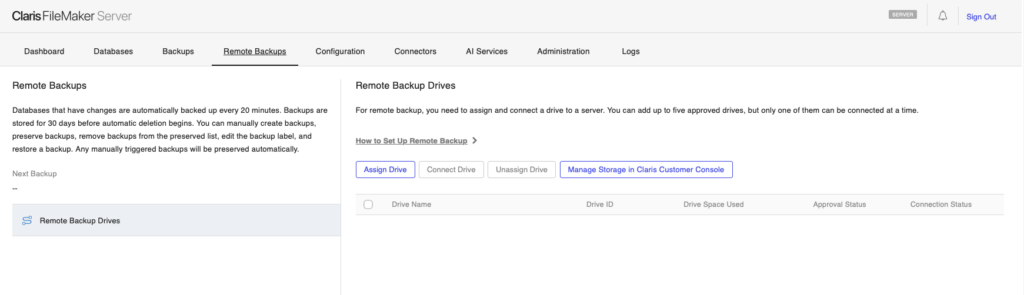
- Remote Backup Drive Reconnection: Toggling switchover includes a native option to automatically reconnect your centralized Remote Backup drive directly to the newly promoted Primary machine.
System Requirements for Deployment: To pair servers, both machines must run the same general OS (e.g., Ubuntu to Ubuntu), have OpenSSH 8.9 or higher installed, and share a SAN or Wildcard SSL certificate covering both hostnames.
Self-Hosted, AI-Ready Infrastructure and RAG
FileMaker Server 2026 moves completely beyond basic API integrations, transforming into an AI-Ready Architecture capable of running open-source Large Language Models (LLMs) locally on your own infrastructure
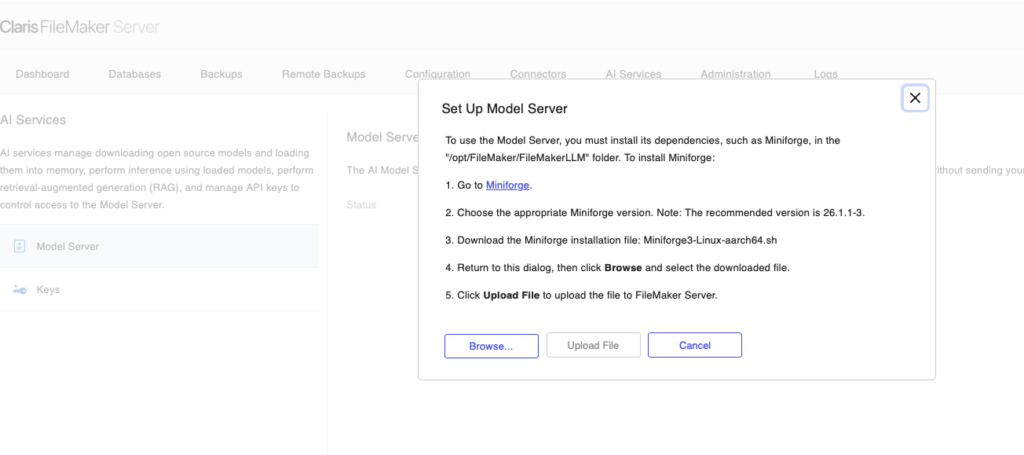
Standalone Claris AI Model Server Installation
Administrators can now perform a clean installation on Linux, macOS, or Windows using a dedicated ”Standalone Claris AI Model Server” deployment option. This specialized installation profile strips out the database hosting and web publishing engines completely, deploying only the Python-based AI Model Server runtime.
This isolates intense LLM inference workloads onto dedicated hardware, keeping database transactions fast and responsive on your primary machine.
Under the Hood: Fast Upgrades and Process Splitting
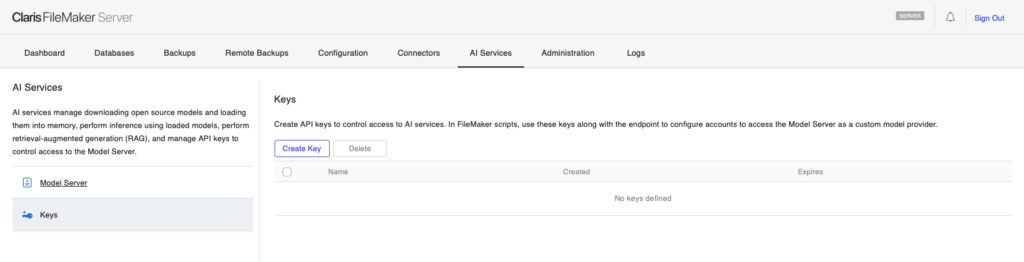
- Python Process Splitting: FileMaker Server now isolates distinct AI tasks into separate underlying Python processes. Text generation and text embedding no longer share a single bottleneck; each loaded model operates in its own dedicated workspace. This yields immense performance improvements when multiple users trigger AI functions simultaneously.
- Fast Upgrade TBZ Packages: Under AI Services > Model Server > Manage, a new ”Update Python Files” option allows administrators to upload a .tbz package to patch or update the AI engine without needing to run a full FileMaker Server software upgrade.
- Hardware and VLLM Optimization: On Ubuntu environments equipped with Nvidia CUDA hardware, the server natively supports the vLLM Inference Engine, allowing granular control over memory profiles via settings like Max GPU Memory Utilization Percentage and Quantization Types (such as bitsandbytes). It also features improved native support for the cutting-edge Nvidia Blackwell architecture and CUDA 13.0.
RAG Caching, Multimodal Vision, and Gemini Support
The Retrieval-Augmented Generation (RAG) framework receives massive security and stability updates:
- UUID Key Management: Chunk embeddings inside RAG spaces now utilize standard UUID strings instead of sequential integers. This completely prevents ID conflicts when managing or merging RAG spaces from multiple documents or database nodes.
- Persistence Across Upgrades: The core RAG cache key file has been moved into the secure server CStore/LLMKeys folder, meaning your local vectors, fine-tuning scripts, and model settings are entirely preserved during server updates or re-installations.
- Multimodal Chat Against Images: The server-side Chat interface in the Admin Console now supports vision-language models (such as google/gemma-3-12b-it). You can send images encoded via Base64EncodeRFC() directly into the Generate Response from Model script step to perform local visual evaluations natively.
- Native Gemini Integration: Built-in flags, enums, and script protocols have been added to standard cloud-driven pipelines to seamlessly integrate Google Gemini models directly alongside local ones.
Automated Failover and Enterprise Performance Tuning
Auxiliary Engine Auto-Restart Strategy
In enterprise environments, a crash of an auxiliary web service shouldn’t require an emergency IT ticket. FileMaker Server 2026 addresses this by continuously monitoring non-database background processes:
- Monitored Services: Web Publishing Engine (fmscwpc), Data API (fmwipd), and OData (fmodata).
- The Mechanism: If any of these engines terminate unexpectedly, the server logs the event and instantly attempts an automated restart sequence. Connected WebDirect clients or integrated REST endpoints recover their connections automatically within a few seconds.
- Zero Database Risk: Because these processes are completely stateless relative to the database core, automated restarts carry absolutely no risk of file corruption to your .fmp12 schemas.
Parallelism: Multiple SASE Support on One Host
Historically, all server-side script logic—such as Schedules, P3s, and Perform Script on Server (PSOS) tasks—was forced to pass through a single, serialized bottleneck process known as the Server-Side Script Engine (SASE).
FileMaker Server 2026 shatters this limitation. Administrators can now scale their back-end processing farms by spinning up multiple concurrent SASE processes on the same primary host machine. Incoming script requests are dynamically distributed across these independent execution engines, allowing true parallel execution that leverages the full core count of your server’s CPU hardware.
Developer Quality-of-Life and WebDirect Enhancements
Native Export Field Contents on Server
A massive win for server-side automation: the Export Field Contents script step can now be natively executed inside server-side scripts, PSOS workflows, and scheduled routines.
Developers no longer need to rely on complex plug-in configurations or command-line workarounds just to export a PDF, image, or text asset out of a container field. The engine writes files directly to the secure server Documents or Temporary directories, making them instantly available for automated email attachments, archiving, or external API relays.
WebDirect Accessibility Overhaul
WebDirect layouts now benefit automatically from updated semantic HTML structures and ARIA compliance mapping without requiring layout redesigns.
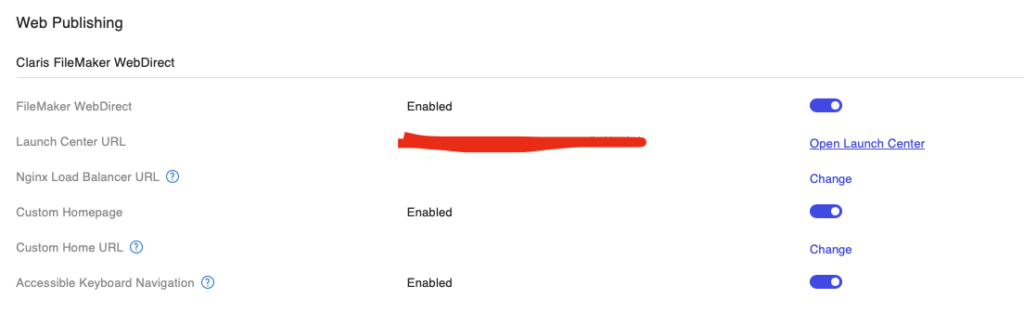
- Accessible Keyboard Navigation Toggle: A new setting in Admin Console > Connectors > Web Publishing activates fully compliant keyboard navigation controls.
- Visual Focus Highlights: When enabled, an active blue frame clearly highlights the user’s current field selection. Users can tab logically through portals, fields, and buttons, interacting seamlessly via standard keys (Enter or Space bar).
Modern IT and Network Readiness
- Deep IPv6 Support: Broader network framework compatibility has been implemented to ensure that all internal and external endpoints natively resolve both IPv4 and IPv6 addresses. This completely resolves the legacy bug where launching a WebDirect application via an explicit IPv6 address resulted in a blank page.
- Regulatory IT Libraries: The system stack has been completely modernized, upgrading to JDK 21, OpenSSL 3.5 LTS, Apache Tomcat 10.1.44, and Node.js v22.22.0. This allows enterprise deployments to clear security audits smoothly.
Complete OData Schema Reflection
For teams integrating external BI tools (like Tableau or PowerBI) or microservices with FileMaker via the developer-friendly OData v4 REST API, the metadata endpoint ($metadata) has been dramatically enhanced.
The API endpoint now exposes rich schema design information that was previously locked deep inside the database engine:
- Field Option Arrays: Exposes auto-enter rules, lookups, and validations directly to the requesting client.
- Programmatic Compute Verification: Custom calculations, summary fields, and furigana strings automatically flag the OData parameter ”@Org.OData.Core.V1.Computed”: true, signaling to external forms that the field is read-only and engine-calculated.
- Developer Comments Exposal: If a developer defines an internal field comment inside FileMaker’s Manage Database dialog, that exact string is compiled and returned inside the OData metadata payload, instantly generating self-documenting APIs for your integration engineers.
The release of Claris FileMaker Server 2026 changes how we approach massive deployments. By giving engineering teams deep control over logical data layers, infrastructure-level high availability, and localized AI computing, Claris has delivered a platform designed for true mission-critical performance.
Are you looking to prepare your corporate infrastructure for a Standby configuration or deploy a secure, self-hosted AI Model Server? Contact us at Square Moon to schedule an architectural consulting session.
